
Install
Run the installer. VolumeKeys appears in the menu bar. No Terminal and no complicated setup.
 VolumeKeys
MOTU M family · Tested with M4
Control compatible stereo outputs on your MOTU M interface with your Mac's F10-F12 keys. Tested in our studio with M4. Use every feature free for 7 days on your own Mac before you decide.
Interactive VolumeKeys preview. Device names and output pairs shown are illustrative; exact choices depend on the device, driver and macOS configuration.
More than volume
Control a compatible MOTU M family stereo output with F10, F11 and F12. Switch between available output pairs for different monitor sets, check mono, audition the low end with Bass Focus and reduce bass spill with Bass Night, all from the keyboard.
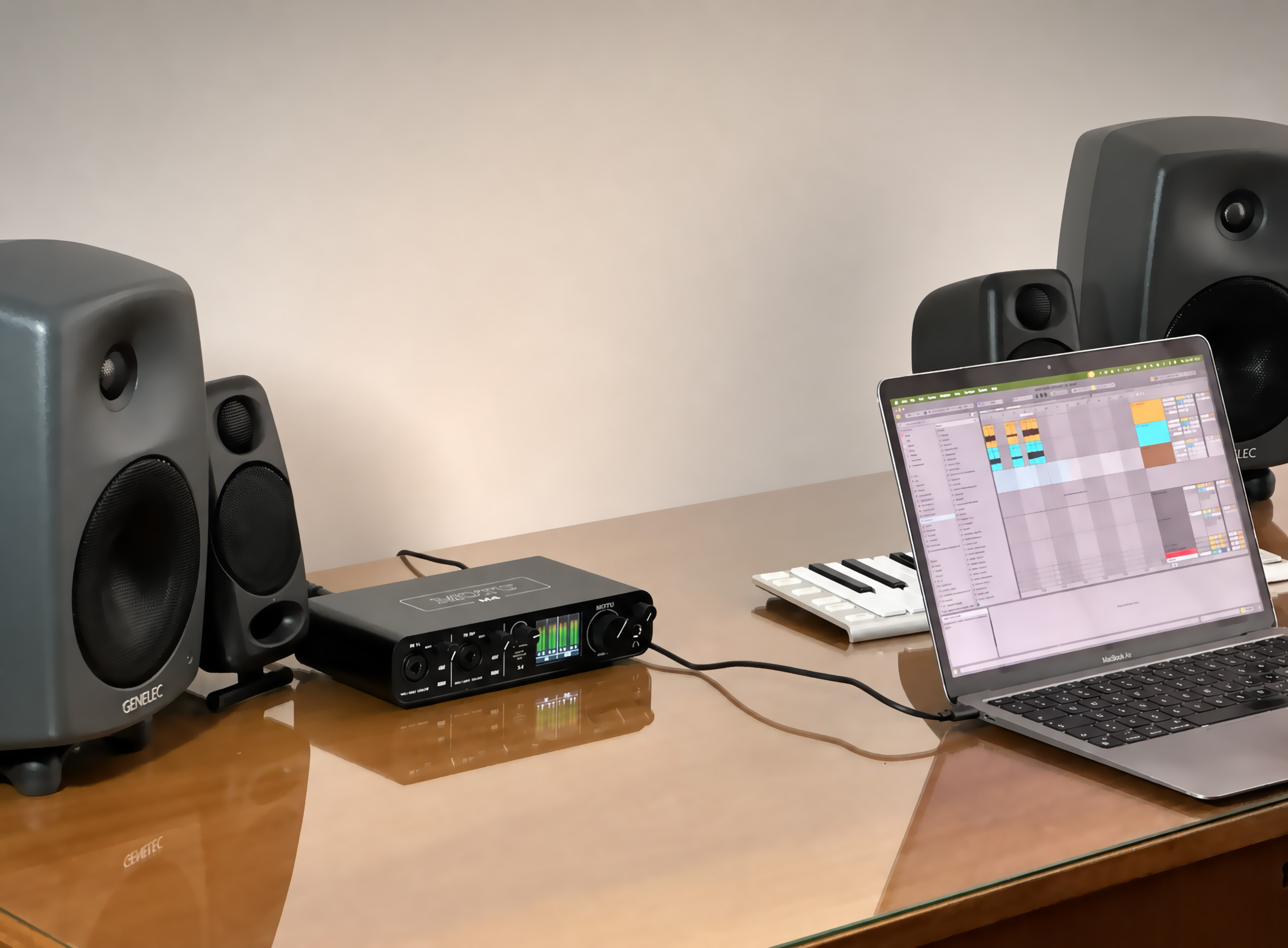
Tested with M4
In our studio test, VolumeKeys selected the MOTU M4 as a Core Audio target and the chosen route responded to mute, volume down and volume up. The free trial lets you confirm the same workflow with your own output pair.
45-second product tour
See how VolumeKeys controls a selected Mac playback route with F10, F11 and F12 and stays quietly in the menu bar.

The product tour demonstrates the same VolumeKeys workflow across compatible interface families.
How it works
Install VolumeKeys, choose your MOTU M interface, and keep using your Mac the way you already do.
Run the installer. VolumeKeys appears in the menu bar. No Terminal and no complicated setup.
Select your MOTU M interface and the stereo output pair shown by VolumeKeys. Available pairs depend on your model, driver and macOS configuration.
Press F10, F11 or F12 to mute, turn down or turn up. That’s it.
VolumeKeys with your MOTU M interface
VolumeKeys adds global keyboard and listening tools to Mac playback while MOTU’s meters and direct-monitor path remain hardware responsibilities.
Digital monitor controller
When the device and driver expose more than one compatible stereo pair, VolumeKeys can remember a separate level for each available pair and switch between those selected routes.
High-precision 32-bit floating-point volume processing designed for transparent monitor control.
Digital attenuation
VolumeKeys attenuates the routed Mac signal and is not designed to add gain above the source level. Set your interface or monitor control for the physical listening level you want.
Private by design
Your audio is processed locally and is not sent to our servers by VolumeKeys. The app contains no ads or app-usage analytics.
Controlled changes
VolumeKeys fades device and output-pair changes through silence, then returns to the level saved for your MOTU M interface. Each available pair keeps its own remembered level.
Hear both channels together to spot phase and balance problems.
Focus isolates everything below 150 Hz for precise low-end decisions. Night focuses its processing where bass becomes physical. A purpose-built low-frequency DSP algorithm reduces the deep energy that makes rooms and walls vibrate while keeping the musical body of the mix intact. You hear a full, balanced sound at night, while less bass travels next door.
Follows the active hardware/DAW buffer without a second competing setting.
If the selected interface or display disconnects, VolumeKeys automatically returns system playback to the current macOS default output.
Recording
Select your MOTU M interface in your DAW for recording. VolumeKeys can control normal Mac audio at the same time.
Global shortcuts
Switch monitor pairs, toggle VolumeKeys, check mono and audition both bass modes from anywhere on your Mac.
Only available output pairs get a shortcut. Each global shortcut is registered independently, so a conflict on one shortcut does not disable the others.
Why VolumeKeys helps with the MOTU M family
A MOTU M interface can play Mac audio normally even when macOS treats its output as fixed-level. When no settable system master volume is exposed, the standard Mac volume keys may be unavailable.
VolumeKeys creates a software-controlled route to the selected output. F10–F12 control routed Mac audio while the MOTU M family hardware keeps its physical monitoring functions.
7 days free.
Use every feature free for 7 days on your own Mac, then decide in your own time. No payment details are required.
7 days free. Just download. No payment details required.
MOTU M family FAQ
Learn what happens to metering, direct monitoring, the hardware knob and the playback route selected by VolumeKeys.
VolumeKeys is designed for compatible stereo Core Audio outputs across the MOTU M family. Our documented studio test used M4; the complete 7-day trial lets you confirm your own MOTU M interface and playback pair.
External Core Audio outputs can report a fixed system level instead of a settable macOS master volume. VolumeKeys restores a software-controlled route for compatible output paths.
No. Use the M4’s MONITOR knob for the physical listening level. VolumeKeys attenuates the routed Mac signal and is not designed to boost it above the source level.
Yes. Select the physical MOTU M4 inside the DAW for recording and low-latency work. VolumeKeys can handle normal Mac audio separately.